
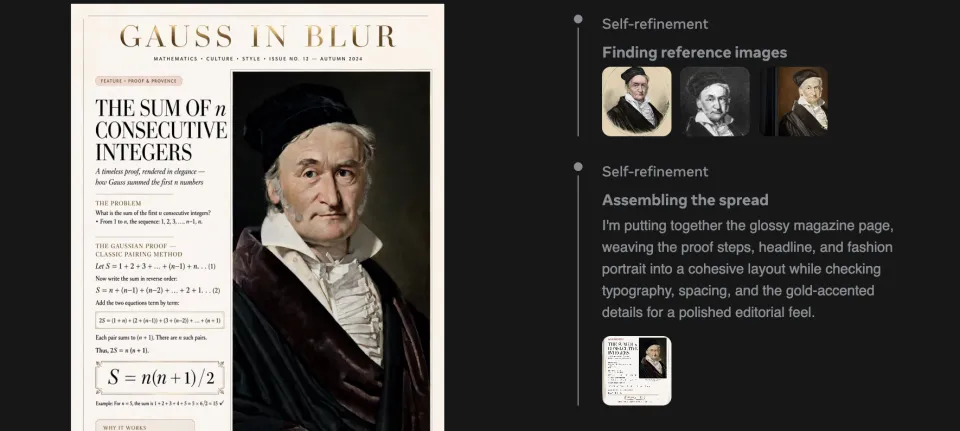
The key point of this update is the introduction of an intelligent agent mechanism into Muse Image. It changes the traditional approach of simply converting text into pixels and instead operates more like an artificial intelligence agent.
A Raw Image-Processing Model That Can Search for Information and Write Code
Muse Image provides a variety of tools for generating images.
The first is code writing. During training, the model learned how to generate accurate charts and QR codes by writing code.
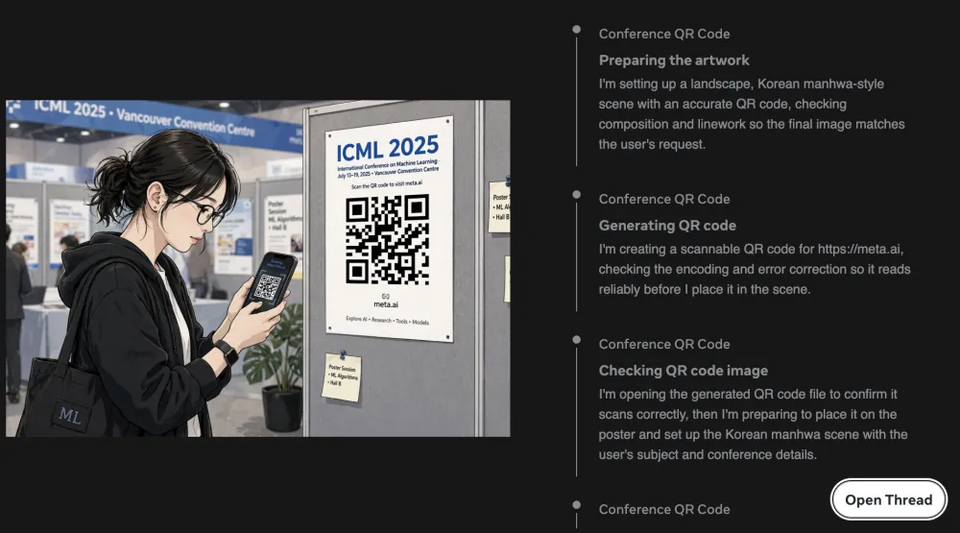
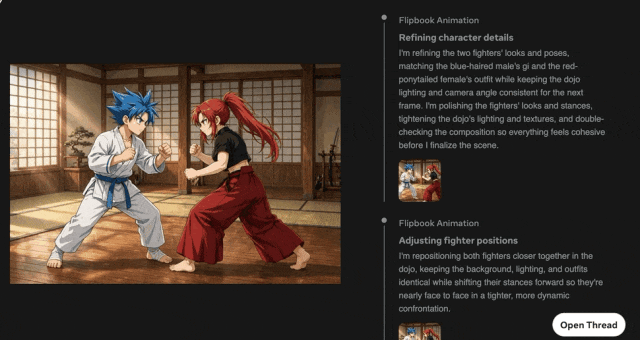
It can also combine generated images with programming code to create animated GIFs and web pages with embedded images.
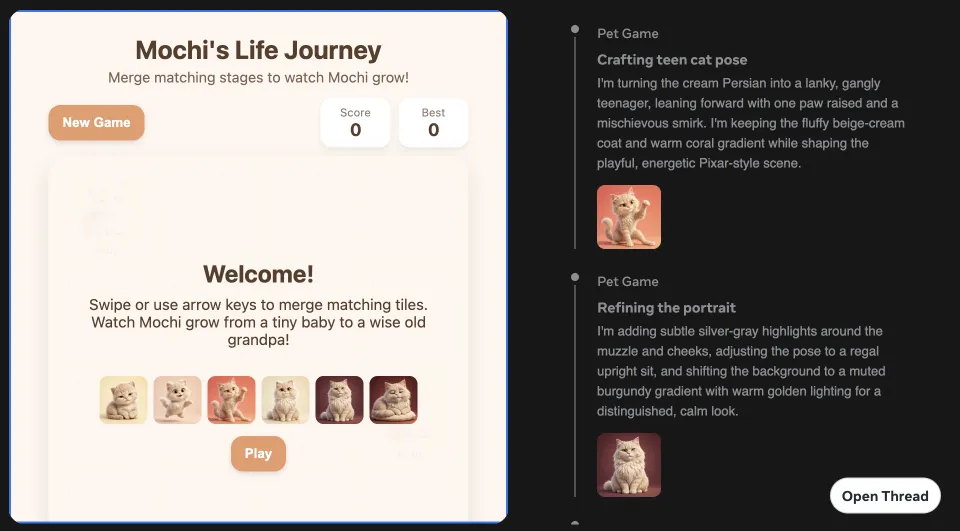
It can even run small interactive games. For example, it can create a complete interactive game in HTML and JS based on a user’s pet photo.
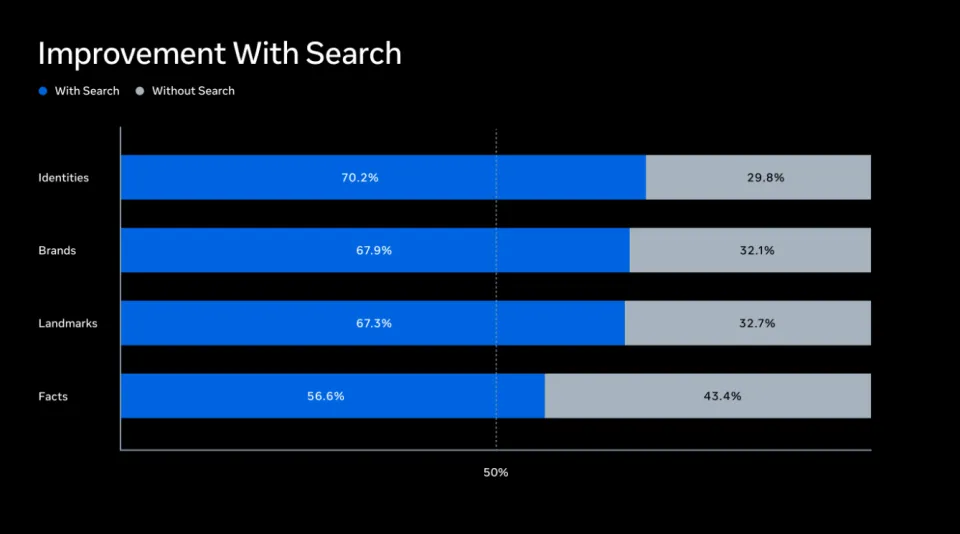
The second capability is web search. Muse Image can collect real-time information and reference images by searching the web. This allows it to significantly improve image accuracy when handling prompts related to news events or general knowledge.
Detecting Errors and Fixing Them Automatically
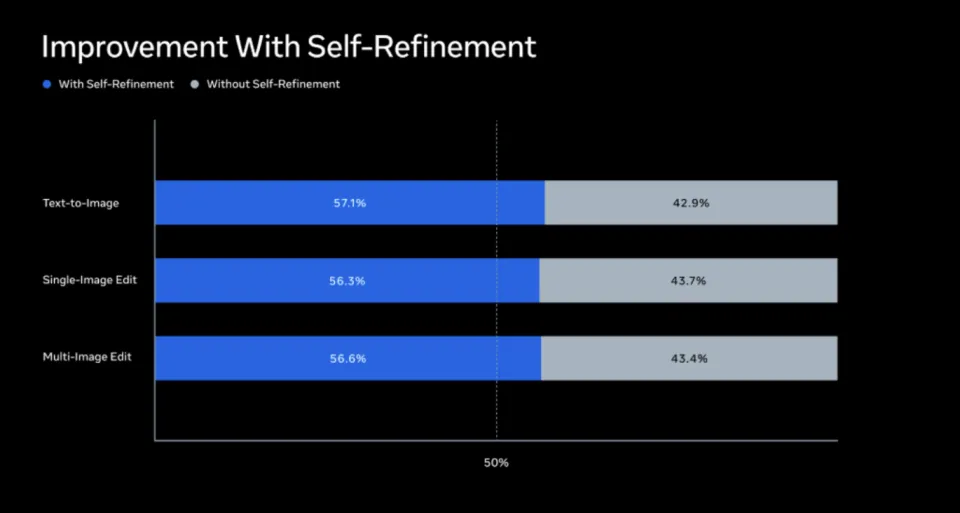
During reinforcement learning training, Muse Image demonstrated self-correction capabilities. When it detects inconsistencies in image details during processing, it actively makes local corrections. If it finds that the entire image direction is wrong, it regenerates the image or calls supporting tools. This self-correction behavior was not manually programmed; it emerged from the model’s autonomous learning process as it pursued higher image-generation quality.
The Longer It Thinks, the Better It Draws
Similar to large language models, Muse Image also supports scaling computation during inference. In other words, giving the model more time to “think” allows it to perform more reasoning steps, use more tools and go through more rounds of self-correction, resulting in higher-quality images. Experiments show that this inference input has an approximately logarithmic-linear relationship with image quality.
Precise Multi-Round Editing and Image Composition
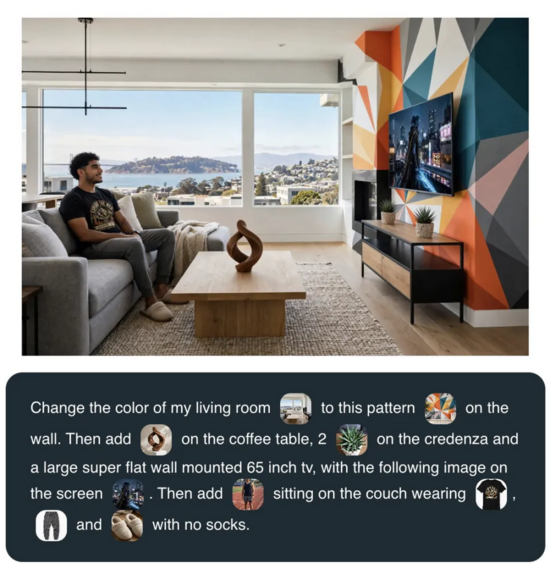
In terms of image-editing capabilities, Muse Image shows strong practical value. It supports multi-step conversational editing, allowing users to continuously provide feedback. For example, a user can transform a living room photo into a style combining Scandinavian and Japanese aesthetics, then ask the model to keep the lighting fixtures from the first image, and finally request a before-and-after comparison image.
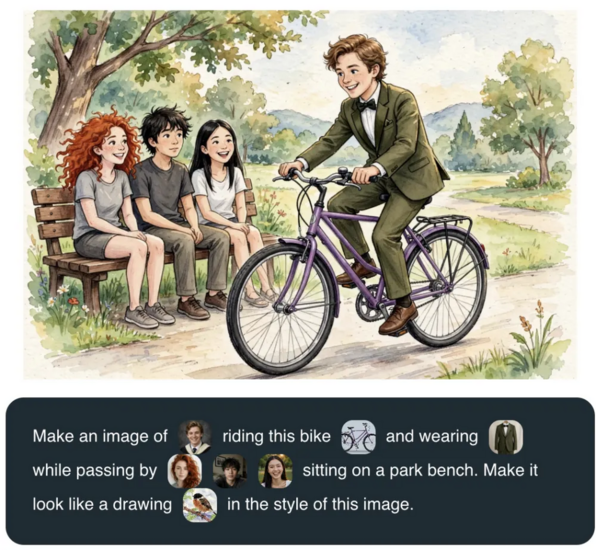
In addition, it supports multi-reference image synthesis. Users can enter text and multiple reference images into the prompt box at the same time, allowing the model to combine specific characters, clothing, bicycles and background styles into a single artwork.
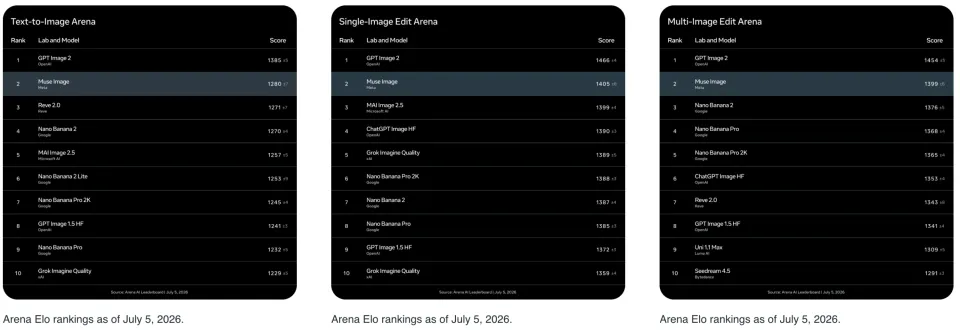
In mainstream benchmarks for image generation and editing, Muse Image currently ranks second in user preference on Arena.
Muse Video Previewed at the Same Time
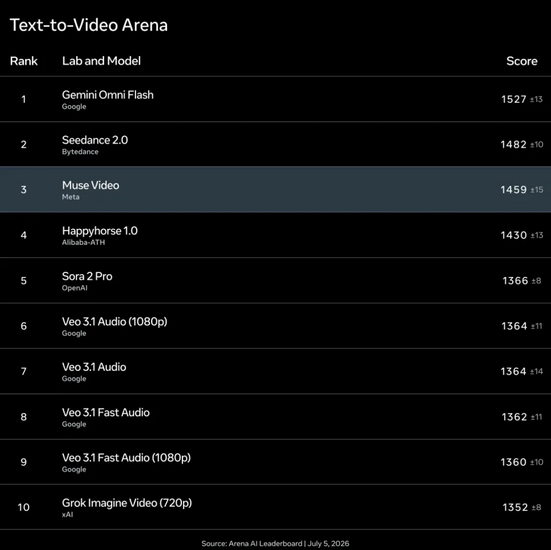
In addition to the image model, Meta also introduced a technical preview of Muse Video. The model performs well in keyword matching, visual detail and temporal consistency, but there is still room for improvement in audio-visual synchronization and in representing the physical laws governing fast motion. In the field of video generation, Muse Video currently ranks third.
Integration With Meta Products
Muse Image is deeply integrated into the Meta ecosystem. Combined with Meta AI’s social features, users can create images together with friends or recreate images from their Instagram accounts. Examples include creating marketing materials for small businesses, generating images in Meta AI by mentioning public Instagram accounts through @mentions, and using personalized preset effects directly inside Instagram.
Conclusion:
Muse Image shows that AI image generation is moving beyond simple text-to-image prompts toward agentic creative workflows. If Meta can combine image generation, editing, web search, code execution and social integrations effectively, Muse could become a powerful tool for creators, marketers and everyday users.
 ES
ES  EN
EN